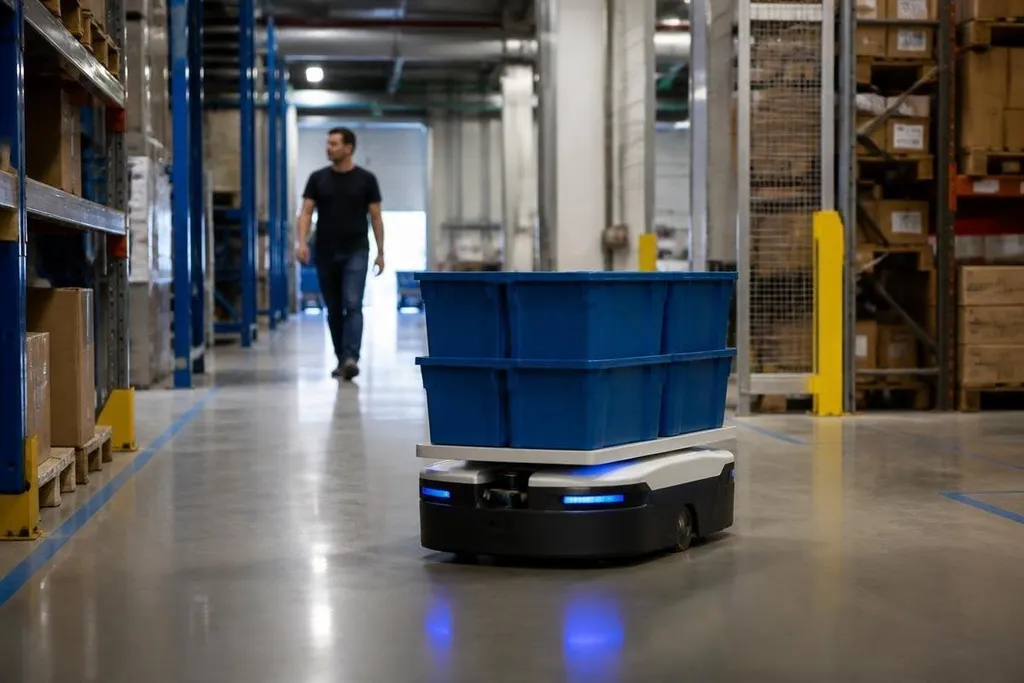
Mobility robots move people, goods, or equipment through spaces built for human traffic. Their value comes from reducing physical work and giving operators better control, while their risks begin when sensors, software, or people make the wrong assumption.
Quick read
- Autonomous mobile robots can move stock through warehouses without a driver.
- Wheelchair robots and powered platforms need clear routes, safe stops, and human control.
- A sensor failure can turn a routine trip into a collision, so testing must include people and clutter.
Where mobility robots help
A warehouse robot can carry bins between storage racks and a packing station. It uses cameras, LiDAR, or other sensors to map nearby objects, then follows a planned route while checking for changes.
That can lower the amount of walking and lifting required from staff. The gain depends on the task, though. A robot that carries empty bins across a fixed route has a simpler job than one moving through a busy loading area.
The same robots can also help people with limited movement. A powered wheelchair robot may control speed, avoid obstacles, and stop when its path is blocked. These functions can give a person more control over daily movement, but they don't remove the need for supervision in crowded spaces.
In hospitals, campuses, and public buildings, mobile robots can carry supplies or guide people between rooms. Their usefulness depends on doors, lifts, floor surfaces, and traffic rules.
A robot that works well on a flat indoor floor may fail when it meets stairs, loose cables, or a narrow doorway.
A mobility robot’s test route and handoff rules matter before its safety claims guide a purchase. Dated mobility robot reports from Robot24.com can tie those details to sensor limits and human intervention before the article turns to the main safety risks.
The main safety risks
The first risk is sensing. A camera can lose detail in poor light, while LiDAR can struggle with glass, low objects, or crowded scenes. A robot may slow down when it sees a person, but the result still depends on how its software reads that scene.
The second risk is movement. A heavy platform carries more force than a small service robot, even when both travel at walking speed. Speed limits, braking distance, wheel design, and the weight of the load all affect the space needed for a safe stop.
The third risk is control. A person needs a clear way to stop the robot, take manual control, or call for help. Emergency-stop buttons should be easy to reach, including when the operator is wearing gloves or seated in a wheelchair.
Cybersecurity matters too. A connected robot may receive route commands over a wireless network. Poor access control could let someone change its route or interrupt its operation, so the system needs protected accounts, software updates, and a plan for network failure.
What safe use requires
Safety standards give teams a starting point. ISO 3691-4 covers driverless industrial trucks, while ISO 13482 covers personal care robots. Those standards don't replace site testing, because each building has its own doors, people, surfaces, and traffic patterns.
Testing should include the cases that look ordinary on a clean demonstration route. A person may step out from behind a rack. A box may sit in the path. A lift may open with someone standing directly in front of it.
The robot also needs a clear operating boundary. Staff should know where it may travel, what it carries, how fast it moves, and who can stop it. Those rules matter more when the robot shares space with children, patients, visitors, or workers using forklifts.
A practical buying checklist
Use these checks before approving a mobility robot for a workplace or care setting:
- Map the route: record doors, ramps, lifts, narrow points, floor changes, and places where people gather.
- Check the load: measure the heaviest item, its shape, and how it stays in place during braking.
- Test the stop: time the stopping distance at the planned speed with the normal load.
- Try sensor limits: test low light, glare, glass, loose cables, and objects close to the floor.
- Set human control: place emergency stops where every operator can reach them.
- Plan failures: decide what happens during a flat battery, lost network, blocked route, or sensor fault.
What happens next
They fit a workplace or care setting when the route, load, and human controls stay within known limits. I'd skip deployment until the team has tested the real site with real traffic, because a clean floor and an empty corridor prove very little.
The open question is how well each robot keeps its safe behavior after months of wear, software changes, and new obstacles. That answer belongs in the maintenance record, not in the launch video.